
What does Made for Kids mean on YouTube?
Made for Kids means that a creator or YouTube has designated a video or channel as directed to children. The designation exists to support compliance with the U.S. Children’s Online Privacy Protection Act and other laws. It changes data use and features around the content. It carries no safety rating or parent recommendation.
The Federal Trade Commission says content can be child-directed based on factors including subject matter, visual content, child-oriented activities, music, language, the age of people shown, and audience evidence. The FTC also says that a video does not become child-directed merely because some children watch it. YouTube asks creators to choose the audience, and YouTube may override that choice in cases of error or abuse.
On a Made for Kids watch page, YouTube disables or restricts features including comments, live chat, notifications, personalized advertising, cards, end screens, the Miniplayer, and saving to Watch Later. YouTube’s help page states plainly, “We don’t automatically consider all ‘made for kids’ content appropriate for kids.” That sentence is the useful limit to remember.
What is YouTube Kids?
YouTube Kids is a separate app and website with a smaller selection of videos than the main YouTube service. According to YouTube for Families, its three content settings are Preschool for ages 4 and under, Younger for ages 5 through 8, and Older for ages 9 through 12. A parent can also choose Approved content only and handpick what the child can access.
The catalog uses automated systems and some human review. YouTube tells parents that it cannot manually review every video and that no automated system is perfect. Search results are selected by an algorithm and are not individually human-reviewed, according to the YouTube Kids parent information page.
Turning off search still differs from approving every video. It narrows discovery, while Approved content only limits the account to what a parent has selected. The guide to YouTube Kids search-off and approved-content settings works through that difference.
What is a supervised child account on YouTube?
A supervised child account is a parent-managed version of regular YouTube and YouTube Music for a child under 13, or the applicable age in the child’s country. It lets a parent choose a content setting while the child uses the main YouTube app, website, and supported devices. Its available catalog is broader than YouTube Kids.
YouTube’s current family comparison describes three supervised-child content levels that generally align with ratings for viewers 9 and older, 13 and older, or 16 and older. Names and availability can vary by region and account, so use the wording shown during setup. A content setting filters what the account can find; it does not turn each visible video into a parent approval.
A supervised child account also changes available features, defaults, and ads. A parent can block channels and report videos, but YouTube’s comparison says parents do not handpick every exact video in this experience. Families that need a narrower list should compare that setup with YouTube Kids Approved content only or a parent-curated tool.
How do Made for Kids, YouTube Kids, and supervised YouTube compare?
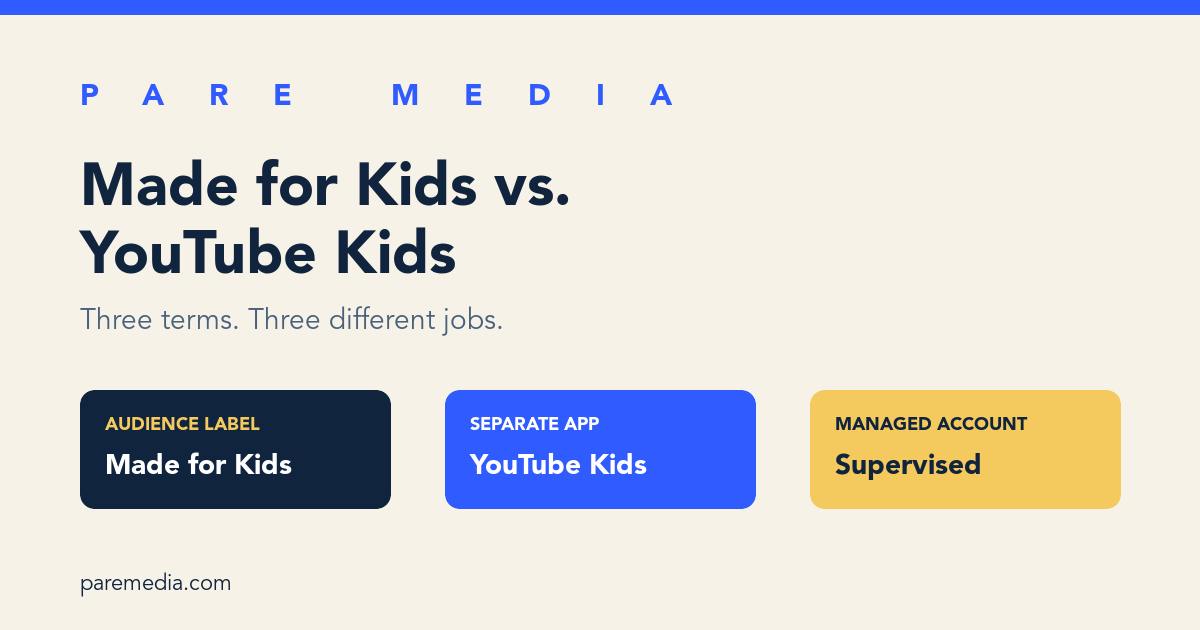
The three options answer different questions: who the uploader intended to reach, which app a child uses, and how a parent limits a child’s account. Reading them as interchangeable can lead to a much broader catalog than a parent expected.
The table uses current YouTube and FTC documentation as of October 6, 2026. Product controls change, so confirm the labels on the setup screen before handing over a device.
| Question | Made for Kids | YouTube Kids | Supervised child account |
|---|---|---|---|
| What is it? | An audience designation on a video or channel | A separate filtered app and website | A parent-managed account in the main YouTube experience |
| Who sets it? | The creator, with possible YouTube override | The parent chooses the child profile and content setting | The parent chooses the account and content setting |
| How much content? | One labeled video or channel within YouTube | A smaller catalog with 3 age-based settings | A broader catalog than YouTube Kids |
| Can a parent handpick exact videos? | No | Yes, with Approved content only | No; parents choose a setting and can block channels |
| Does it certify a video as safe? | No | No | No |
Are all Made for Kids videos available in YouTube Kids?
All Made for Kids videos are not automatically available in YouTube Kids. YouTube applies separate eligibility and content policies to the YouTube Kids catalog, which it describes as a much smaller set of channels and videos than the main app and website. A video can carry the audience designation yet remain outside the kids app.
The reverse distinction matters too. A video appearing in YouTube Kids still deserves a family-level review. The YouTube Kids help page tells parents that inappropriate material can get through and provides block and report controls. A platform catalog and a family’s approval list solve different parts of the decision.
When a creator is unfamiliar, review more than the audience label. The ten-minute channel evaluation samples recent, popular, and random uploads so one polished episode does not stand in for the catalog.
Which YouTube setup fits my family?
The right YouTube setup depends on how much choice you want to hand to the platform. If you want to select every accessible video, start with YouTube Kids Approved content only. A family comfortable with an age-banded catalog may prefer a regular YouTube Kids setting. A child ready for more of the main service may use a supervised child account.
Consider a worked example with 12 requested videos. A parent reviews all 12 and approves 7. In an exact-approval setup, the accessible set contains those 7 selections. In an age-based setting, the same 7 may be available, but they sit inside a larger platform-selected catalog. The count shows the practical difference: 7 parent decisions versus a content band containing many videos the parent never reviewed.
PARE uses a separate request-and-decision loop for YouTube video curation. After a caregiver pairs PARE Kids with the intended child profile, that caregiver can decide on requested videos or channels. That workflow still depends on parent judgment and does not turn YouTube’s Made for Kids label into an approval.
What should I check before relying on any label?
Before relying on any YouTube label, check the exact video, creator, content setting, search state, and recommendation path. Start playback from the child’s actual profile because an adult account can show different controls and suggestions. Then inspect what appears when the video ends.
Write the active setup in one sentence: “YouTube Kids, Younger, search off,” or “supervised child account, middle content setting.” That sentence is more useful during a caregiver handoff than “the kids setting is on.” It identifies which product and which level are doing the filtering.
Review the setup after an account birthday, device change, or app update. Those events can change which experience is available or how a child signs in. A label remains one input; the current screen and the child in front of you supply the rest.
- Confirm whether the child is in YouTube Kids or the main YouTube app
- Name the selected content level
- Check whether search is on, off, or limited to approved content
- Open the video and creator from the child’s profile
- Inspect the next-video path before ending the review
Common questions
Does Made for Kids mean a video is safe for kids?
No. It is an audience designation tied to child-directed content and privacy rules. YouTube says it does not automatically consider every Made for Kids video appropriate for children.
Are all Made for Kids videos in the YouTube Kids app?
No. YouTube Kids has separate eligibility and content policies and contains a smaller selection than the main YouTube service.
Can I approve individual videos in YouTube Kids?
Yes. With Approved content only, a parent can handpick videos, channels, and collections, and the child cannot search beyond that approved set.
Is a supervised child account the same as YouTube Kids?
No. A supervised child account uses the main YouTube experience with a parent-selected content setting and generally offers more content than the separate YouTube Kids app.
Sources and further reading
- Watching Made for Kids content, YouTube Help
Source for the meaning of Made for Kids, disabled features, and YouTube’s warning that the label does not automatically mean appropriate.
- Important info for parents about YouTube Kids, YouTube for Families Help
Source for YouTube Kids discovery, review limits, search behavior, and parent controls.
- Understand your choices as a family, YouTube for Families Help
Source for the comparison between YouTube Kids and supervised child accounts, including age bands and catalog size.
- YouTube channel owners: Is your content directed to children?, Federal Trade Commission
Source for the COPPA audience factors and the distinction between child viewers and child-directed content.